Introduction
A critical security alert has been issued for PHP following the discovery of two vulnerabilities that could expose vulnerable servers to remote code execution and other security risks.
The vulnerabilities, referred to as PHP2Shell in security reporting, have been assigned the identifiers CVE-2026-109618 and CVE-2026-109619. Both have been rated 9.2 out of 10 under CVSS v4.0, indicating a critical security concern.
On October 21, 2026, the PHP development team released security updates for supported PHP branches to address these vulnerabilities.
PHP is a core component of many web applications, including Faveo Helpdesk deployments. Because these vulnerabilities affect the PHP runtime itself, updating application code alone is not sufficient to address the underlying risk.
We strongly recommend that all Faveo users review their PHP environment, verify that the appropriate security updates have been applied, and contact the Faveo team for assistance if they need help planning or executing the upgrade.
Official reference: PHP Security Release Announcement
Understanding the PHP2Shell Vulnerabilities
The PHP2Shell vulnerabilities affect the PHP runtime, which processes requests and executes application code on the server.
Depending on the vulnerability and the server configuration, successful exploitation could allow an attacker to execute malicious code or access sensitive information from the PHP process.
Potential consequences include:
- Unauthorized execution of commands on a vulnerable server.
- Exposure of sensitive application data, credentials, or session information.
- Unauthorized modification of website or application files.
- Disruption of services and business operations.
- Further security incidents involving compromised infrastructure.
The actual risk depends on the PHP version, server configuration, deployment architecture, and other environmental factors.
These vulnerabilities should not be confused with a defect in Faveo application code. A vulnerability in the underlying PHP runtime can affect an application even when the application’s own code has no corresponding vulnerability.
For additional technical details, refer to The Hacker News coverage of the PHP2Shell vulnerabilities.
Which PHP Versions Require Attention?
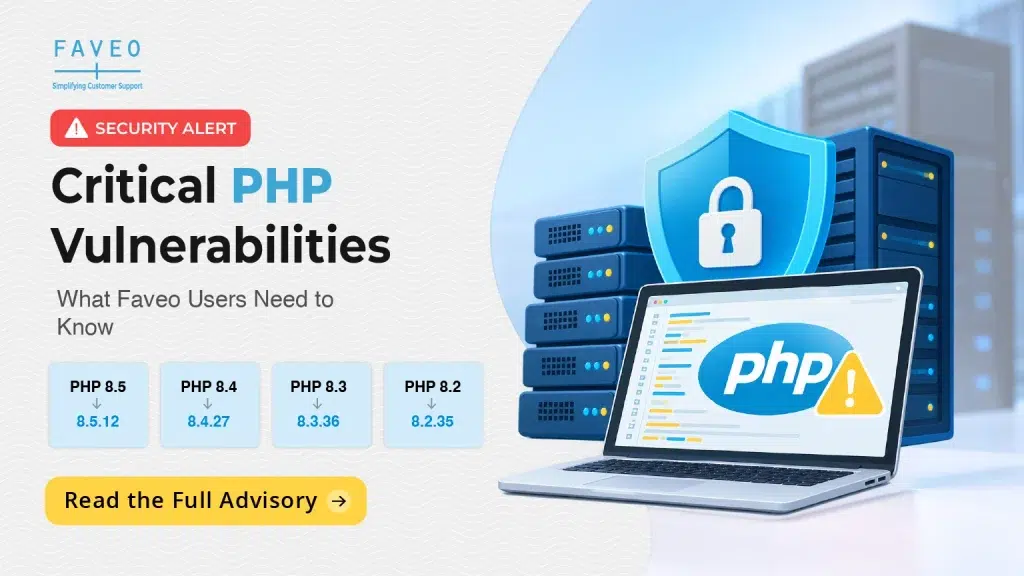
The PHP security updates released on October 21, 2026, include the following fixed versions for supported branches.
| PHP branch | Fixed version |
| PHP 8.5 | 8.5.12 |
| PHP 8.4 | 8.4.27 |
| PHP 8.3 | 8.3.36 |
| PHP 8.2 | 8.2.35 |
Installations running earlier versions in the affected branches should be assessed and updated to an appropriate fixed release.
These version numbers refer to upstream PHP releases. Operating-system distributions and hosting providers may deliver security fixes through backported packages, so administrators should also verify their provider’s security advisory and package status.
For installations running older, unsupported PHP branches, a migration to a supported and appropriately patched version may be necessary.
For the latest details, consult the official PHP release archive.
What Should Faveo Users Do?
We recommend that all Faveo users take the following steps.
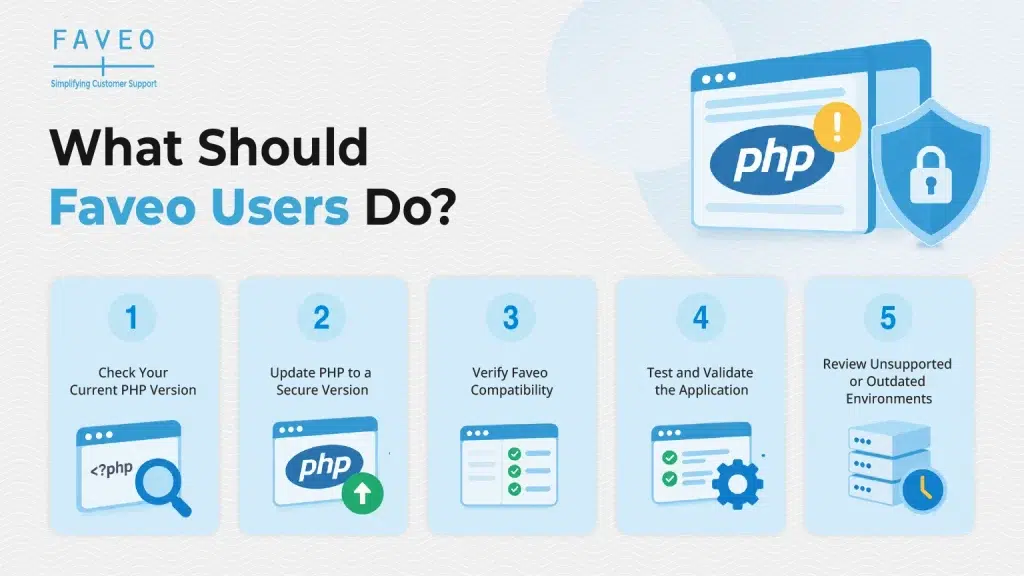
1. Check Your Current PHP Version
Identify the PHP version used by your Faveo installation, including the runtime serving production web requests.
Do not assume that the PHP version installed on the command line is necessarily the same version used by the web server. Different services, containers, or application environments may use separate PHP installations.
2. Update PHP to a Secure Version
If your environment is running an affected PHP version, plan to apply the relevant security update as soon as possible.
However, a PHP upgrade should be carried out with due consideration for your current Faveo version, application dependencies, server configuration, and hosting environment.
Do not upgrade your production PHP runtime blindly without first checking application compatibility. An unsupported PHP version change can introduce compatibility issues or interrupt application functionality.
Where necessary, coordinate the upgrade with the Faveo team so that the security update can be planned and implemented appropriately.
3. Verify Faveo Compatibility
Before making changes to a production environment, verify that the target PHP version is compatible with your installed Faveo release and its dependencies.
Depending on your deployment, the upgrade may require changes to the PHP runtime, extensions, server configuration, or deployment process.
Our recommendation is to validate the upgrade plan before applying it to a live environment, particularly for business-critical helpdesk installations.
4. Test and Validate the Application
After applying the security update, verify that Faveo and its essential functions are operating correctly.
Validation should cover the key workflows used by your organization, as well as relevant application logs, server logs, and background processes.
Where possible, perform compatibility testing in a suitable non-production environment before deploying changes to production.
5. Review Unsupported or Outdated Environments
If your Faveo installation uses an older PHP branch that no longer receives security fixes from the PHP project, do not treat that environment as secure simply because the application is functioning normally.
Assess the required migration, review application compatibility, and plan the move to a supported PHP version.
If an immediate upgrade is not possible, consult your infrastructure or security team about temporary measures to reduce exposure. Such measures should not be considered a replacement for the appropriate security update.
Need Help Updating PHP for Faveo?
We understand that upgrading PHP on a live helpdesk installation requires careful planning. Users may need to consider application compatibility, server configuration, PHP extensions, third-party dependencies, and service availability.
The Faveo team can help users assess their current environment and plan the next steps.
If you need assistance, please get in touch with the Faveo team before making significant changes to your production environment.
We can work with you to:
- Review your current PHP version and deployment environment.
- Assess compatibility considerations for your installed Faveo version.
- Plan the appropriate PHP security upgrade.
- Identify relevant configuration and dependency requirements.
- Support upgrade validation and troubleshooting, as applicable to your support arrangement.
When contacting us, please share your current PHP version, Faveo version, deployment type, and any relevant hosting or server details. This will help us assess your environment and recommend the appropriate course of action.
Please contact your usual Faveo support channel or account representative to coordinate the upgrade.
Our Recommendation
Keeping the PHP runtime updated is an important part of maintaining a secure and reliable Faveo deployment.
We recommend that every Faveo user:
- Check the PHP version currently used by their production environment.
- Verify whether the appropriate security fix has been applied.
- Confirm compatibility with their installed Faveo version before upgrading.
- Coordinate with the Faveo team if assistance is required.
- Validate the application after the upgrade.
Security updates should be treated as a priority, but they should also be implemented through a controlled process that protects both the security and availability of your helpdesk.
Conclusion
The PHP2Shell vulnerabilities highlight the importance of securing every layer of a web application, including the underlying runtime.
Although these vulnerabilities are in PHP rather than specifically in Faveo application code, users running Faveo on affected PHP environments should review their exposure and take appropriate action.
Our advice to Faveo users is straightforward: review your PHP version, plan the required security update, and contact the Faveo team if you need help with compatibility assessment or implementation.
Taking timely action can help reduce security risks while ensuring that your Faveo helpdesk continues to operate reliably.
If you require assistance, please contact our team on support@faveohelpdesk.com
Official References
- PHP Official Security Release Archive
- The Hacker News: PHP Issues Emergency Patches for Two Critical PHP2Shell Vulnerabilities
Disclaimer: This advisory provides general security guidance. The appropriate PHP version and upgrade procedure depend on your Faveo release, deployment architecture, dependencies, and hosting environment. Please verify compatibility before changing your production PHP runtime.