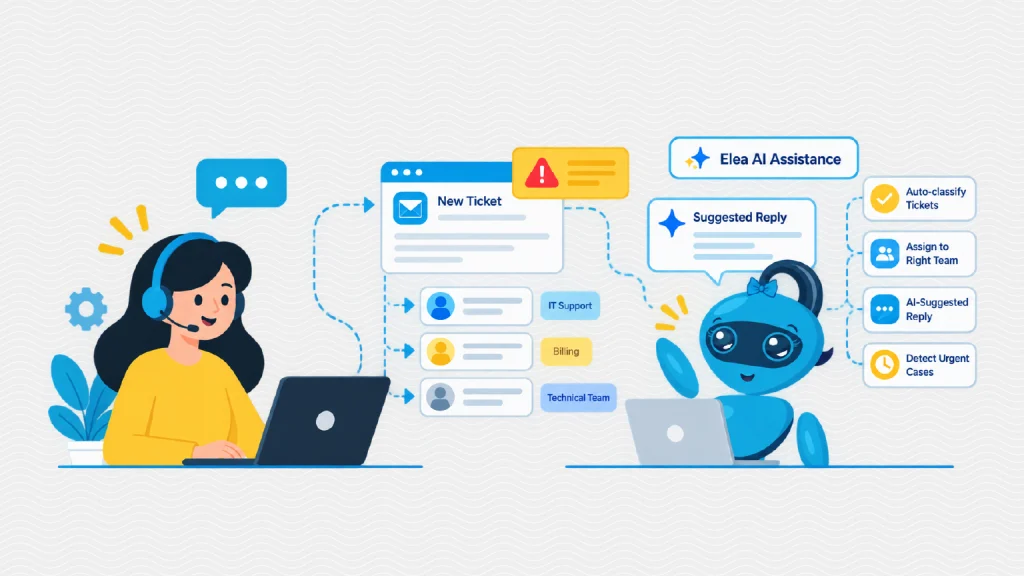
Support teams are under pressure to do more with less. Ticket volumes keep climbing, customers expect answers in minutes, and agents spend too much of their day on repetitive work. AI-powered automation in customer support offers a practical way out. It handles the routine tasks, so people can focus on the conversations that need a human touch.
In this post, we look at how automation works inside modern help desks, where it delivers the biggest gains, and how to get started.
What Is AI-Powered Automation in Customer Support?
AI-powered automation in customer support means using machine learning and natural language processing to perform support tasks without manual effort. These tasks include categorizing tickets, assigning them to the right agent, suggesting replies, answering common questions, and flagging urgent cases.
Unlike older rule-based macros, AI understands context. It can read a message, detect the customer’s intent and mood, and decide what should happen next. That is why AI in help desk software has moved from a nice extra to a core part of how support teams operate.
The Efficiency Problem in Traditional Support
Manual support workflows create bottlenecks. Agents triage tickets one by one, customers repeat themselves when tickets are passed between teams, and simple questions such as password resets sit in the same queue as complex bugs. The result is slower replies, inconsistent service, and agent burnout.
| Manual process | AI-powered automation |
| Agents read and sort every ticket by hand | Tickets are classified and routed instantly |
| Customers wait hours for a first reply | Instant acknowledgment and suggested answers |
| Repetitive questions consume agent time | Self-service and AI replies handle routine requests |
| Urgent issues get buried in the queue | Priority and sentiment detection escalate them |
How AI Improves Support Efficiency
1. Automated Ticket Routing
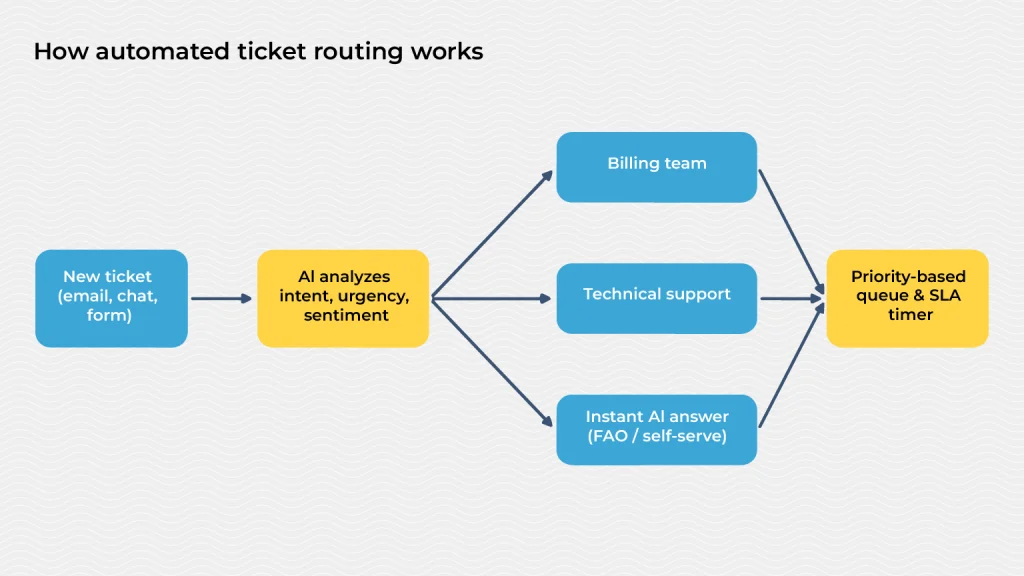
Automated ticket routing is often the first win. An AI ticketing system reads each incoming request, identifies the topic, urgency, and language, and sends it to the best-suited team or agent. No one has to sort a shared inbox, and customers are not bounced between departments.
2. Faster First Responses
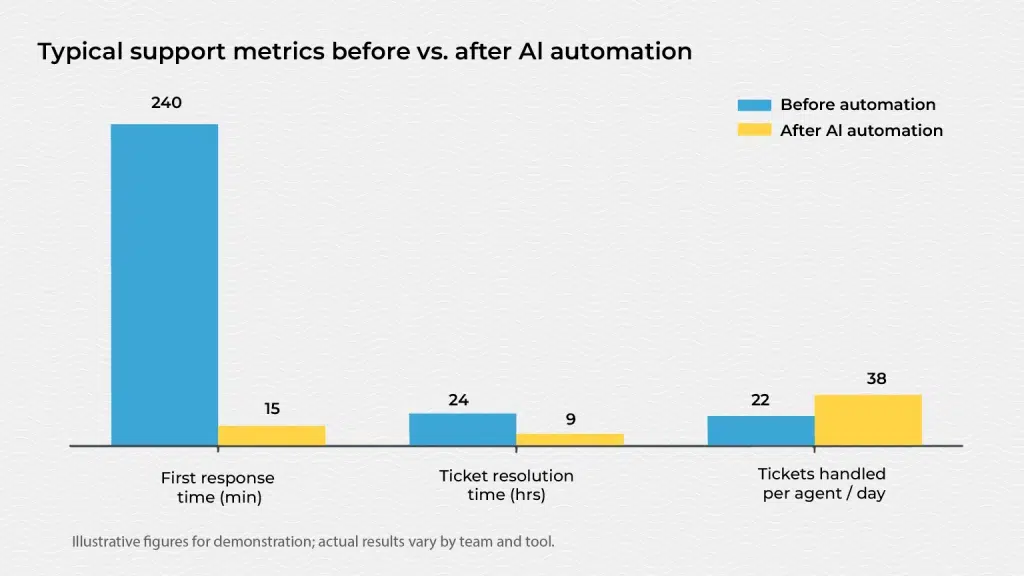
Customers judge a support experience by how quickly they hear back. Support automation can acknowledge a ticket immediately, share relevant help articles, or answer simple questions outright. Agents also get AI-suggested replies, which helps teams improve first response time even during peak periods.
3. Shorter Resolution Times
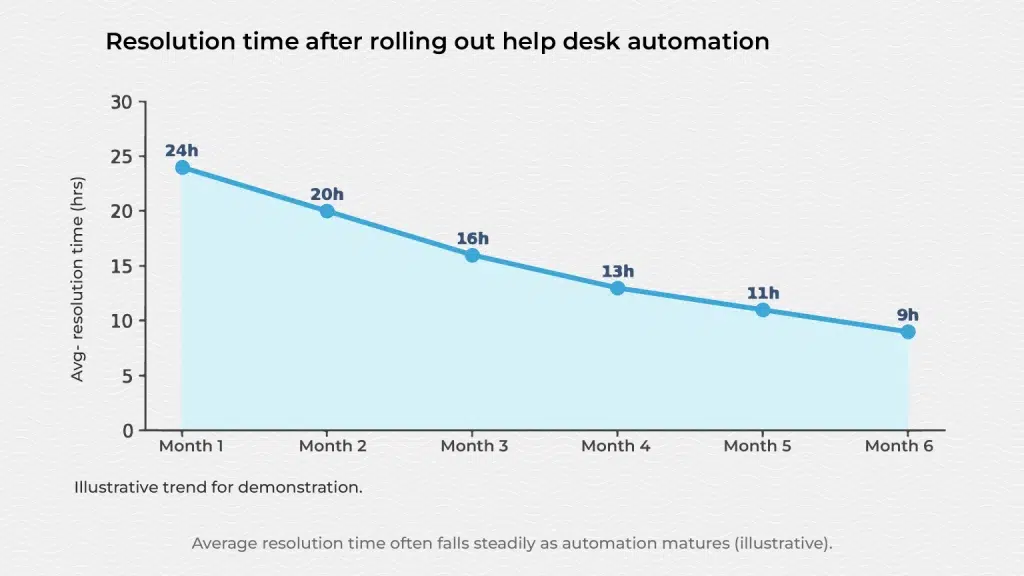
When tickets reach the right person with the right context, they get solved faster. AI can summarize long threads, surface similar past cases, and recommend next steps. These features help teams reduce ticket resolution time without cutting corners on quality.
4. Support Workflow Automation
Beyond routing and replies, support workflow automation covers the repetitive steps around each ticket:
- Auto-tagging and prioritizing tickets based on content and customer tier.
- Triggering follow-ups when a ticket has been idle or an SLA is close to breach.
- Escalating automatically when sentiment turns negative or a VIP customer writes in.
- Updating records in the CRM or other tools without manual data entry.
5. Round-the-Clock Coverage
AI customer service tools such as chatbots and virtual assistants work 24/7. They resolve common issues overnight and on weekends, and hand over complex cases with full context so the morning team can pick up right away.
Benefits of Help Desk Automation for Support Teams
Help desk automation does not replace agents. It removes the repetitive load and gives them better tools. Teams typically see:
- Higher productivity: agents handle more tickets in the same time.
- Better customer support efficiency: fewer handoffs, less waiting, more first-contact resolutions.
- Improved consistency: every customer gets the same quality of triage and response.
- Lower costs: growth no longer requires hiring at the same pace.
- Happier agents: less copy-paste work and more meaningful problem solving.
How to Get Started
1. Audit your tickets. Find the most frequent, repetitive request types. They are your best automation candidates.
2. Start with routing and suggested replies. These deliver quick wins with little risk.
3. Keep humans in the loop. Let agents review AI suggestions and make it easy to escalate to a person.
4. Track the right metrics. Monitor first response time, resolution time, CSAT, and ticket backlog to measure impact.
5. Refine continuously. Use feedback and new data to improve accuracy over time.
Final Thoughts
AI-powered automation in customer support is no longer experimental. From automated ticket routing to AI-assisted replies, it helps teams respond faster, resolve issues sooner, and scale without losing quality. Start small, measure results, and expand as your team gains confidence. The payoff is a support operation that is faster for customers and more sustainable for the people running it.
Frequently Asked Questions
AI improves support efficiency by automating repetitive work such as ticket sorting, tagging, and answering common questions. It speeds up routing, gives agents suggested replies and summaries, and helps teams respond and resolve issues faster with the same headcount.
It is the use of machine learning and natural language processing to handle support tasks automatically. This includes routing tickets, prioritizing urgent issues, powering chatbots, and recommending responses inside help desk software.
Yes. AI can acknowledge tickets instantly, answer routine questions on its own, and route complex ones to the right agent right away. This directly helps teams improve first response time and cut waiting for customers.
Automation removes manual, repetitive tasks, reduces errors, and keeps tickets moving through the right workflow. Agents spend less time on admin and more time solving real problems, which improves both productivity and morale.